Main Features
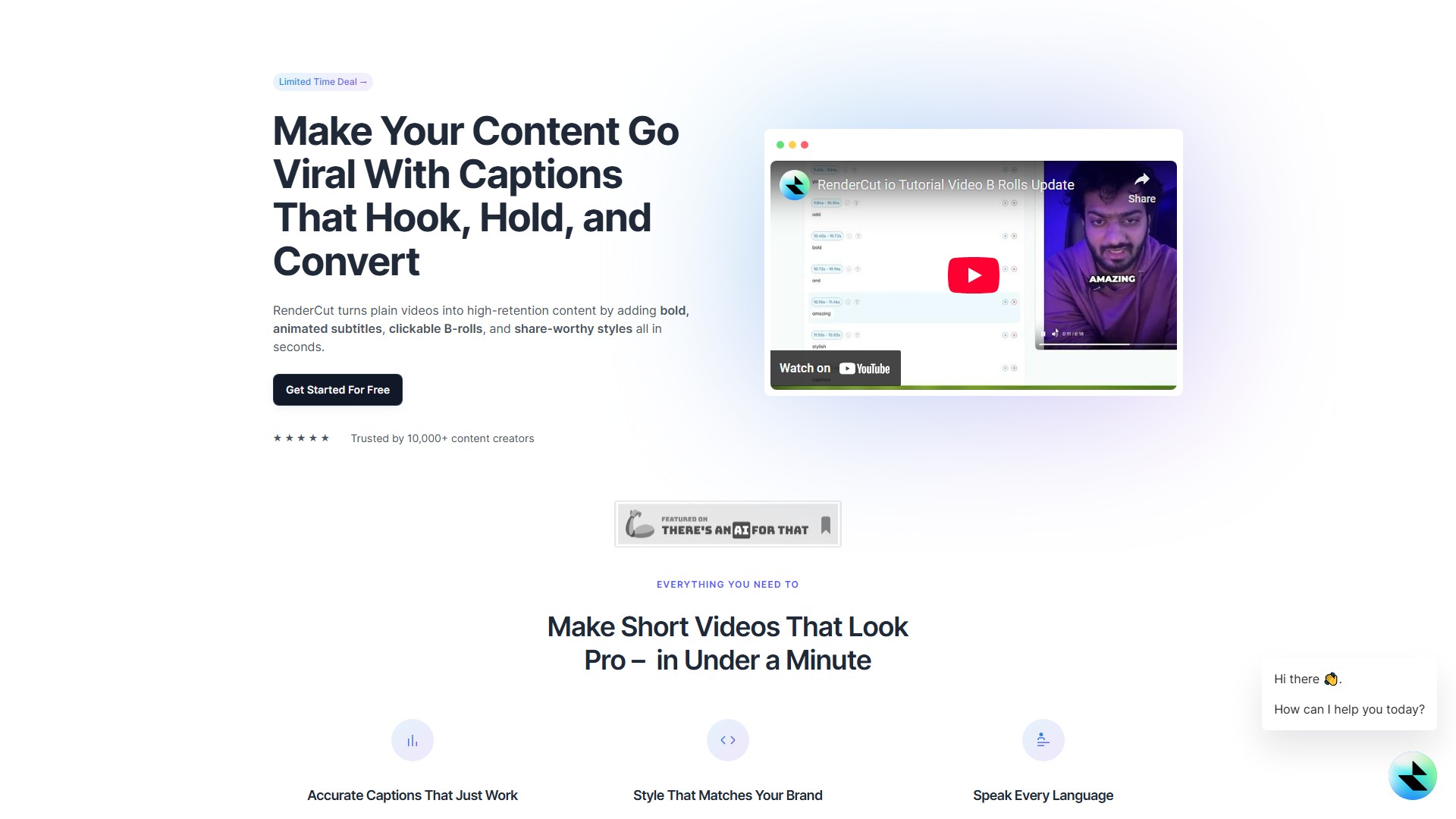
- Automatic Caption Generation: Automatically detects speech and delivers perfectly synced subtitles, supporting multiple languages, accents, and paces.
- Rich Style Customization: Offers a wide range of fonts, colors, backgrounds, and animations, allowing users to fully customize caption styles to match their brand.
- Multimedia Element Integration: Supports adding clickable B-rolls, emojis, GIFs, memes, and sound effects to make video content more engaging.
- Audio-to-Video: Allows direct upload of audio files, which RenderCut automatically converts into a subtitled video.
- Smart Editing Tools: Includes a search and replace feature for quickly correcting subtitle errors.
Core Advantages
- High Efficiency: Completes the entire process of adding and styling captions in seconds to under a minute, significantly saving editing time.
- High Accuracy: AI technology ensures highly accurate caption generation, with manual editing options for perfect results.
- Ease of Use: Features a clean and intuitive interface that requires no professional editing skills, making it accessible to everyone.
- Boosts Audience Retention: Increases video watch time and engagement through eye-catching animated captions and visual elements.
- Maintains Video Quality: Does not compromise the original video quality during processing.
Target Users
- Content Creators (e.g., YouTubers, TikTokers, short video producers)
- Marketers and Businesses
- Freelancers
- Agencies
- Anyone needing to quickly add high-quality captions to videos
Typical Use Cases & Workflow
- Upload: Upload a video or audio file to the RenderCut platform.
- Generate: The AI automatically recognizes speech and generates synchronized captions.
- Customize: Use the built-in tools to adjust caption fonts, colors, animations, and add B-rolls, GIFs, and other elements.
- Export: Download the finished video and publish it directly to social media platforms.
Pricing Model
- Offers a Try For Free option for users to experience core features.
- Provides a Lifetime Deal on AppSumo, representing a paid model where users can make a one-time purchase for long-term access.
Frequently Asked Questions
- How accurate are the subtitles?
The AI technology provides highly accurate subtitles, but there may be occasional errors due to accents, background noise, or complex vocabulary.
- Is it compatible with Mac and PC?
Yes, RenderCut is a web-based tool, compatible with both Mac and PC, and accessible from any web browser.
- How long does it take to generate subtitles?
The time depends on the video length and audio complexity, but the AI technology ensures a fast and efficient process.
- Can I edit the subtitles manually?
Yes, users can easily edit and adjust the subtitles manually to ensure accuracy and perfect timing.
- Is it possible to customize the styling?
Yes, the platform offers a variety of styling options to make captions visually appealing and fit your branding.
- Collection Time:2025-09-16
-
Pricing Mode:
Freemium
Paid
#Video editing
#Social media assistant
Freemium
Paid
Website