Main Functions
- Instant: Instantly translate foreign menus, street signs, and posters on the go.
- Multi-Language: Supports over 50 languages for global content translation.
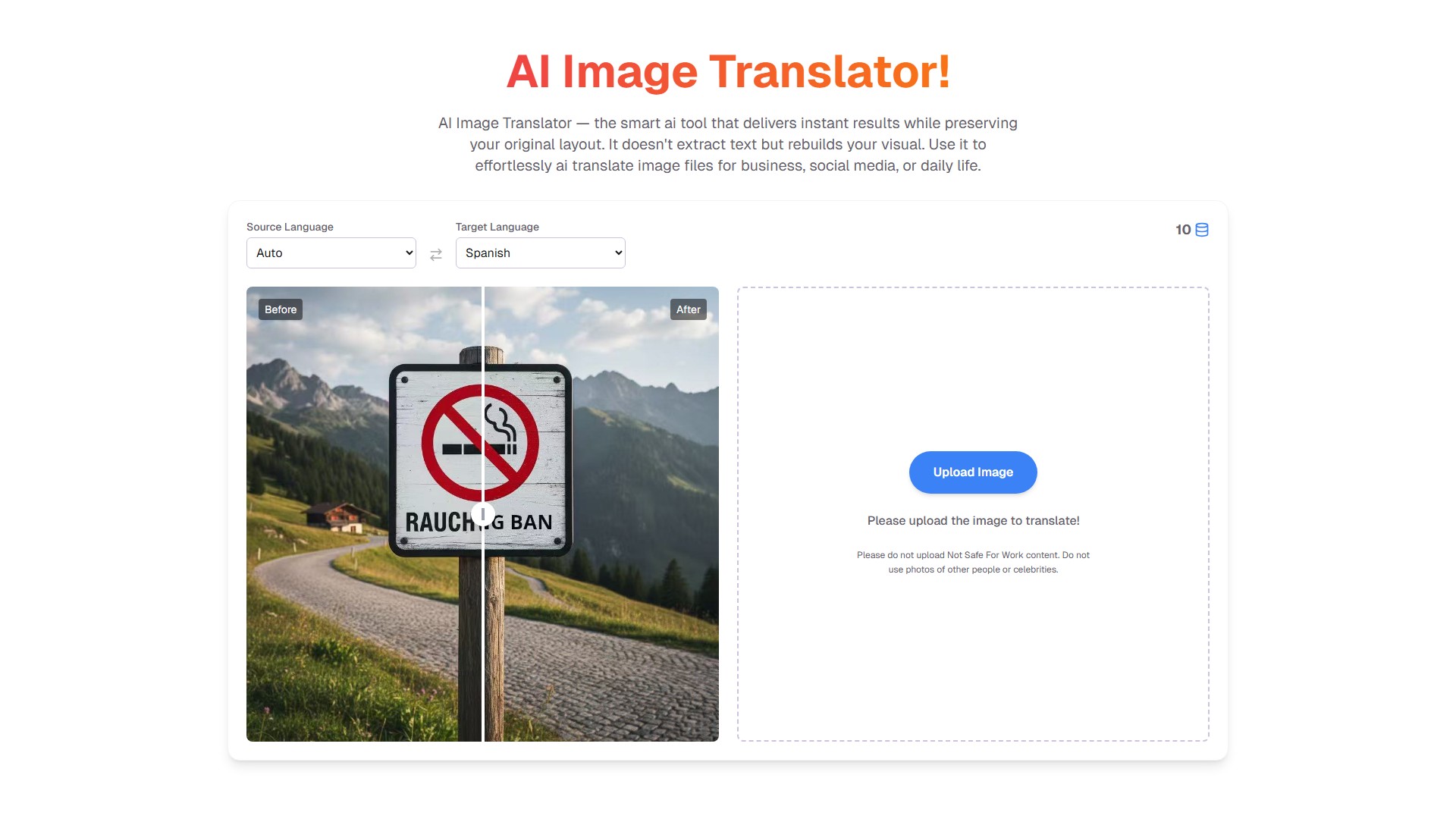
- Intelligent: Intelligently erases original text and seamlessly inpaints the background, ensuring translated works look flawlessly native.
- Batch Processing: Upload hundreds of product images at once and process them in minutes to accelerate global market entry.
- Academic Precision: Activates a precision mode for dense academic charts and scientific diagrams, leveraging terminology databases for high accuracy.
- Layout Preservation: Precisely identifies text layouts and replaces text in its original position, perfectly preserving the design of posters and PPTs.
Key Features & Advantages
- Effortless Exploration: A perfect travel companion to translate menus and signs, enabling barrier-free exploration.
- Spark Virality: Create visuals for Instagram and TikTok that resonate worldwide.
- Preserve Layout: Flawlessly preserves original design when localizing manga or infographics.
- Instant Understanding: Instantly get the joke with memes or images from friends, staying in sync with global humor.
- Unlock Knowledge: Break down language barriers in academic papers and charts to access cutting-edge information.
- Drive Growth: Transform product photos into global assets to reach new customers and drive growth in new markets.
How to Use
- Upload an image.
- Select the source and target languages.
- The AI tool processes and rebuilds the image.
- Download the translated image file.
Target Users
- Travelers
- Social Media Content Creators
- Manga Readers
- Students and Researchers
- E-commerce Business Owners
Pricing Model
- Free: $0. 20 credits per day, each translation costs 10 credits, no watermark.
- One Time: $3.99. 150 credits for use across all features, no expiration date, no watermark.
- Pro: $9.99/month. 6000 credits per month, no watermark.
- Premium: $19.99/month. 13000 credits per month, no watermark.
Frequently Asked Questions
- What makes this AI image translator different from using a standard translation app after taking a screenshot?
- Is it safe to upload my pictures to your AI image translator? How do you handle my data?
- What image formats and sizes does your AI image translator support?
- Do I need to select the language myself with your AI image translator? What if there are multiple languages in one image?
- How long does the AI image translator take to translate an image?
- Can this AI image translator handle handwriting, artistic fonts, or vertical text?
- I don't want to pay. Can I try your AI image translator for free?
- What if the font in the image translated by the AI image translator doesn't match the original?
- How do I download the translated image? Will the image from your AI image translator have a watermark?
- I have many images to translate. Do I have to use the AI image translator one by one?
- I uploaded a picture, but the AI image translator showed a "Cannot recognize text" error. What should I do?
- What are the main differences between the free and paid plans for your AI image translator? How should I choose?
- 収集時間:2025-10-04
-
価格設定モデル:
Freemium
Paid
#翻訳
Freemium
Paid
Website