Main Functions
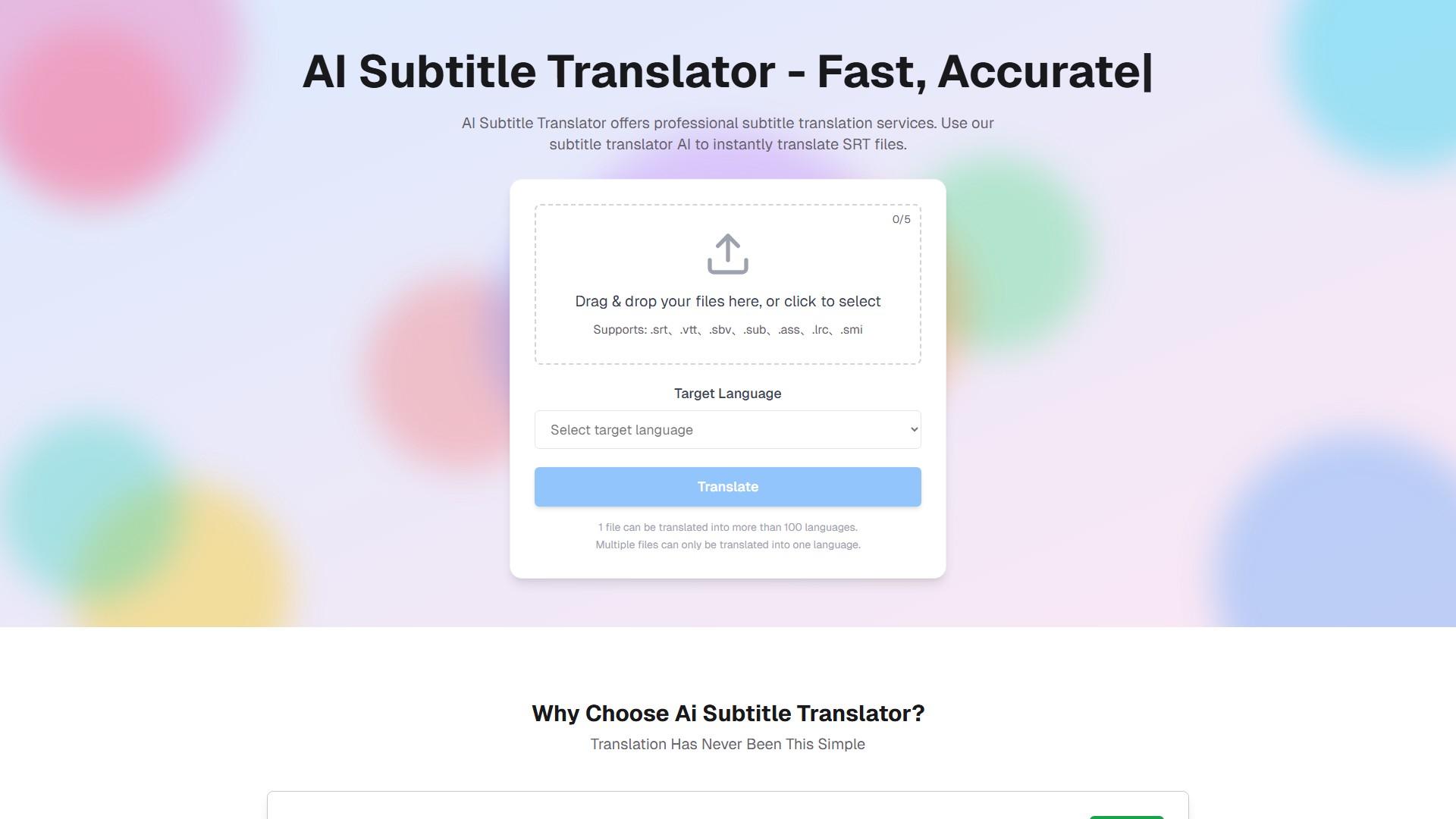
- Instant Translation: Utilizes AI to instantly translate subtitle files into over 100 target languages, including various regional variants.
- Multi-Format Support: Supports importing and exporting major subtitle formats like
.srt, .vtt, .sbv, .sub, .ass, .lrc, .smi, and provides conversion features such as ass to srt and srt to text.
- Batch Processing: Allows uploading multiple subtitle files for simultaneous translation, significantly improving localization efficiency.
- Subtitle Editor: Features an integrated, powerful subtitle editor for fine-tuning text and adjusting timestamps after translation to ensure perfect synchronization.
Key Features
- Precision & Naturalness: Employs advanced Large Language Models (referred to as a gpt subtitler) to understand context and nuance, producing more natural and idiomatic translations that surpass basic machine translation.
- High-Speed Engine: Optimized for speed, typically processing a standard file in minutes, helping users meet tight deadlines.
- Ease of Use: Follows a simple three-step process: Upload, Translate, Download. It automatically detects the source language for a user-friendly experience.
- Data Privacy: User files are used exclusively for processing translation requests. Translation results are stored on servers for 7 days and then automatically deleted. Files are never used to train AI models, ensuring user privacy.
Target Users
- Content Creators: Including YouTubers and We-Media practitioners, helping their content overcome language barriers and reach a global audience.
- Marketing Teams: Rapidly localize video ads and global marketing campaigns to accelerate market promotion.
- Video Editors: Easily handle subtitle format conversion and translation needs for different platforms, simplifying the workflow.
- Language Learners: Turn any foreign video into a study aid with synced subtitle translations.
- Educators: Create multilingual educational videos to disseminate knowledge without borders.
How to Use
- Upload File: Drag and drop or click to upload a subtitle file. The system automatically detects the original language.
- Select Language: Choose the target translation language from over 100 options.
- Translate & Edit: The AI provides an instant translation. Users can perform final proofreading and make micro-adjustments to timing using the built-in editor.
- Download Result: One-click download the translated subtitle file, with formats and timelines perfectly preserved.
Pricing & Plans
- Free Plan: Offers 5 free credits (1 credit consumed per translation), files are saved for 7 days, with a 1MB limit per file.
- Starter Plan: $19.9/month, providing 400 credits each month, with files saved for 7 days.
- Basic Package: A one-time payment of $9.9 for 80 credits with no time limit, files are saved for 7 days.
Frequently Asked Questions (FAQ)
- How is translation quality ensured?
The platform uses advanced LLMs to understand context and idioms, resulting in high-quality, natural translations. However, for highly specialized jargon or complex wordplay, AI may have limitations, and a final human review is recommended for critical content.
- Can I edit the subtitles after translation?
Yes. Every translation result can be opened in the integrated subtitle editor, giving users full manual control over text and timing modifications.
- What is the refund policy?
For subscribers, a full refund is available within 10 days if usage is under 5% of the quota. This policy does not apply to one-time credit package purchases.
- Temps De Collecte:2025-10-14
-
Modèle De Prix:
Free Trial
Paid
#translate
Free Trial
Paid
Website