Main Features
- Text Content Editing: Support text and Emoji input, adjustable font size, bold, italic, letter spacing, and line height
- Background Settings: Adjustable border radius (0%-100%), support solid color and gradient backgrounds (linear/radial)
- Font System: 30+ carefully selected fonts including modern fonts like Playfair Display, Roboto, Open Sans and decorative fonts
- Color Control: Support solid/gradient colors for text and background, adjustable opacity (0%-100%)
- Text Effects: Shadow effects (adjustable blur and offset), outline effects (adjustable width and color)
- Position Adjustment: Horizontal and vertical position adjustment (-100% to 100%), rotation angle adjustment
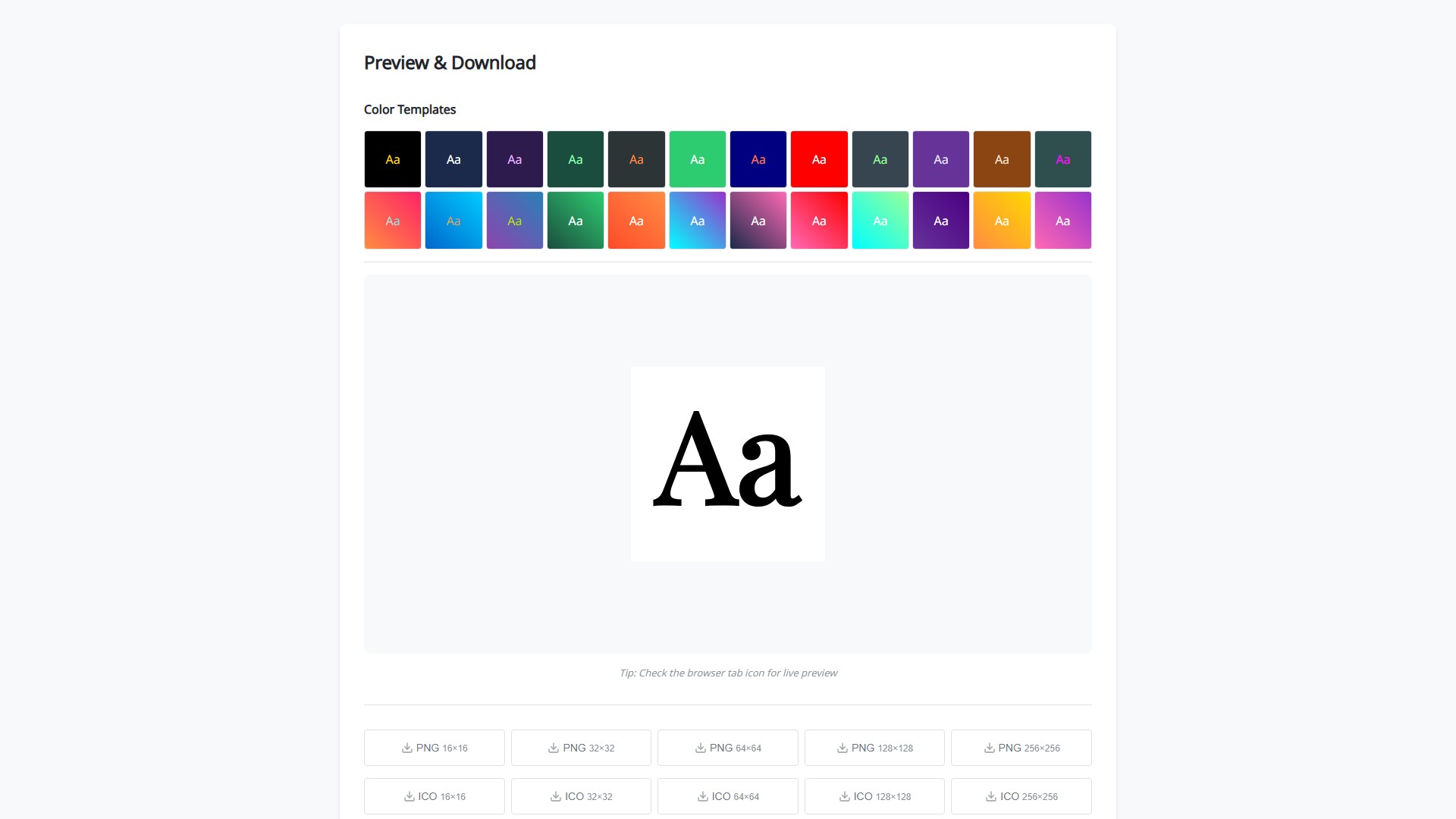
- Preview System: Real-time preview effect, displays in browser tab
- Download Options: Support PNG and ICO formats, provide various sizes from 16×16 to 256×256
Usage Workflow
- Input text content or Emoji
- Select font and adjust font style
- Set background color and shape
- Adjust text color and effects
- Use position adjustment tools for precise positioning
- Real-time preview effect
- Select required format and size for download
Special Features
- Color Templates: 24 preset color schemes, one-click application
- Batch Download: Support one-click download of all sizes in ZIP package
- Creative Inspiration: Show design cases in YC, LinkedIn, Tumblr, X, Bitcoin styles
- Multi-line Text: Support line break input, adjustable line height
Target Users
Website developers, UI/UX designers, brand managers, personal bloggers, various users who need to create website icons
Core Advantages
- Completely free to use, no registration required
- Real-time preview, WYSIWYG
- Support modern browsers and traditional ICO format
- Rich customization options, professional-level effects
- Clean and intuitive user interface
FAQ
- Quick Creation: Input text → Select font color → Click download
- Supported Effects: Three main effects: shadow, outline, gradient, can be combined
- Multiple Sizes: Different devices and platforms require different sizes for perfect display
- Transparency Adjustment: Opacity slider in color control panel (0%-100%)
- Website Application: Download to website root directory, add link tag in HTML head
- Emoji Usage: Direct input of Emoji symbols, recommended to use single large Emoji for best effect
- Temps De Collecte:2025-09-16
-
Modèle De Prix:
Free
#Assistant de conception
#Générateur de logo
#Outils amusants
Free
Website